A crew of AI agents.Their own computer. Your apps. 24/7.
Research our 3 competitors, make a one-pager, then post the highlights on LinkedIn on Friday.
Research our 3 competitors, make a one-pager, then post it Friday.
A crew thatwrites it upfor you.
The crew
Six to start.
Then make yours.
Orry leads and answers for the work. Six crewmates come ready, each great at one job. For anything else, make your own, as many as you like, and teach them how you do it.
Searches the web in its own tab, reads the pages, pulls out the facts and writes it all up with every source linked.
Makes documents, sheets, slides and PDFs in your apps or as files, then reads each one back to check it.
Designs posts, posters, thumbnails and banners, gives you a few to pick from, and resizes the winner for every place it goes.
saleSat 10–4
saleSat 10–4
saleSat 10–4
Writes for each platform, schedules the posts and brings back the numbers. Drafts first; publishing always asks.
we learned
Builds, tests and ships sites and small apps from the terminal on Orry’s Computer. Putting something online always asks.
Sorts, renames and de-duplicates your files and finds the one you lost. It says what it will move first, and every move can be undone.
Any job you can describe, with its own folder, its own Chrome tab, and the skills you teach it.
- Name
- Penny
- Job
- Invoices and receipts
- How
- Finds invoices in Mail and Downloads, renames them by client and month, and keeps the Invoices sheet up to date.
- Apps
- GmailGoogle SheetsGoogle Drive
- Routine
- The 1st of every month · 9:00
Make as many as you like. Start from Topic watcher, Replies or Invoices, or describe any job. Your plan only sets how many work at once.
How it works
Askonce.Orry hands it out.
Orry plans the job, gives each part to the crewmate whose work it is, and stays responsible for all of it. Crewmates hand their part back to Orry, and you get one answer at the end.
Find a venue for the offsite, write up my meeting notes, then post the date on LinkedIn.
Say it, type it, or @ a crewmateCasa do Lago fits 20 and is 40 minutes from Lisbon. Your notes are a one-pager in Dockey’s folder, and the post went out after you said yes.
- Or go straight to one@Graphy in any thread gives the job to Graphy, no splitting needed.
- Give a part to someone elseEvery working part has “Give to…”, if you’d rather Zeee did it.
- Orry answers for the whole jobCrewmates hand work back to Orry, never past you, so nothing gets lost between them.
Orry’s Computer
The crew has its
own computer.
A real computer in the cloud with Chrome, files and a terminal, shared by your crew and nobody else. It runs for them 24/7: watch it work, or take over any time.
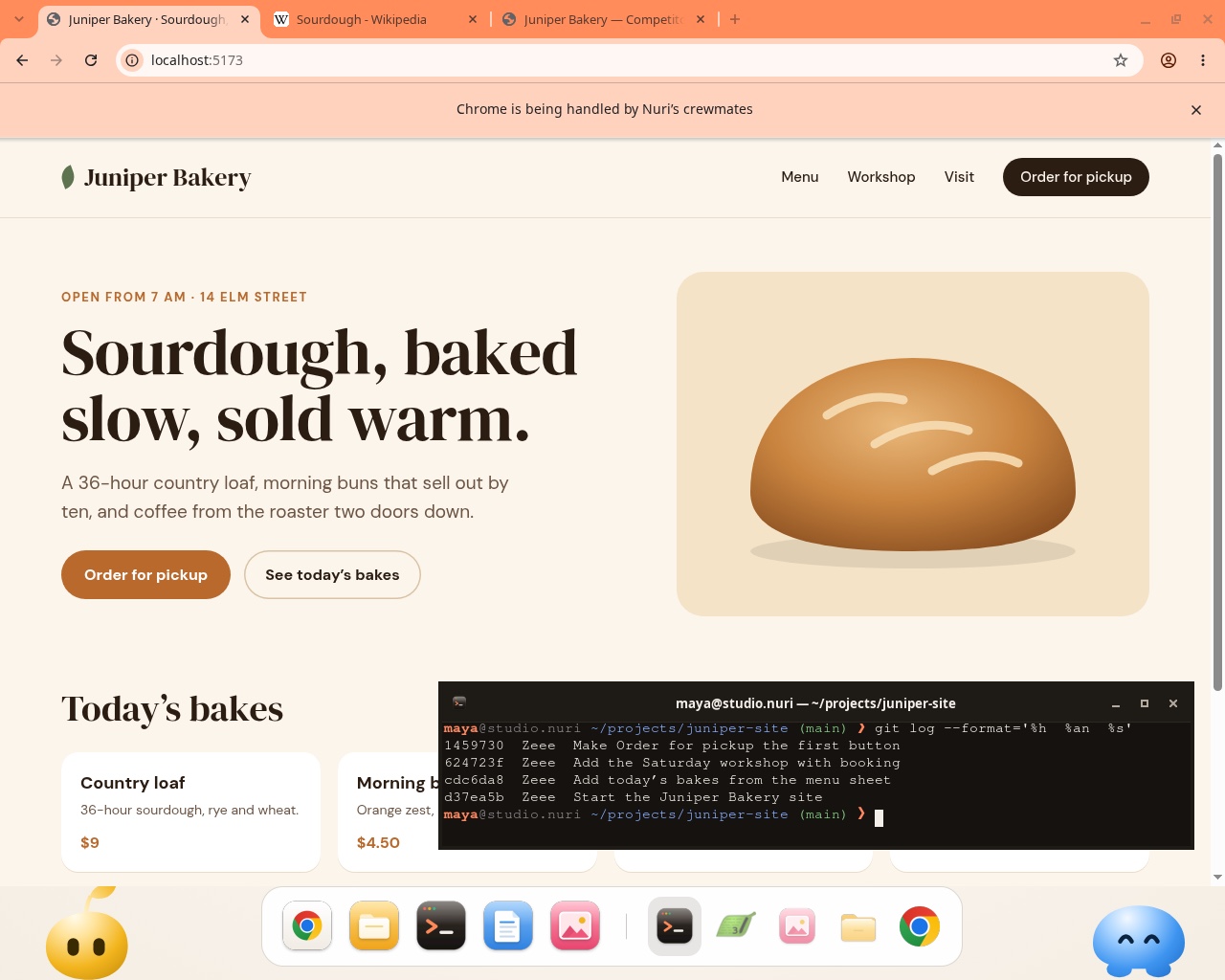
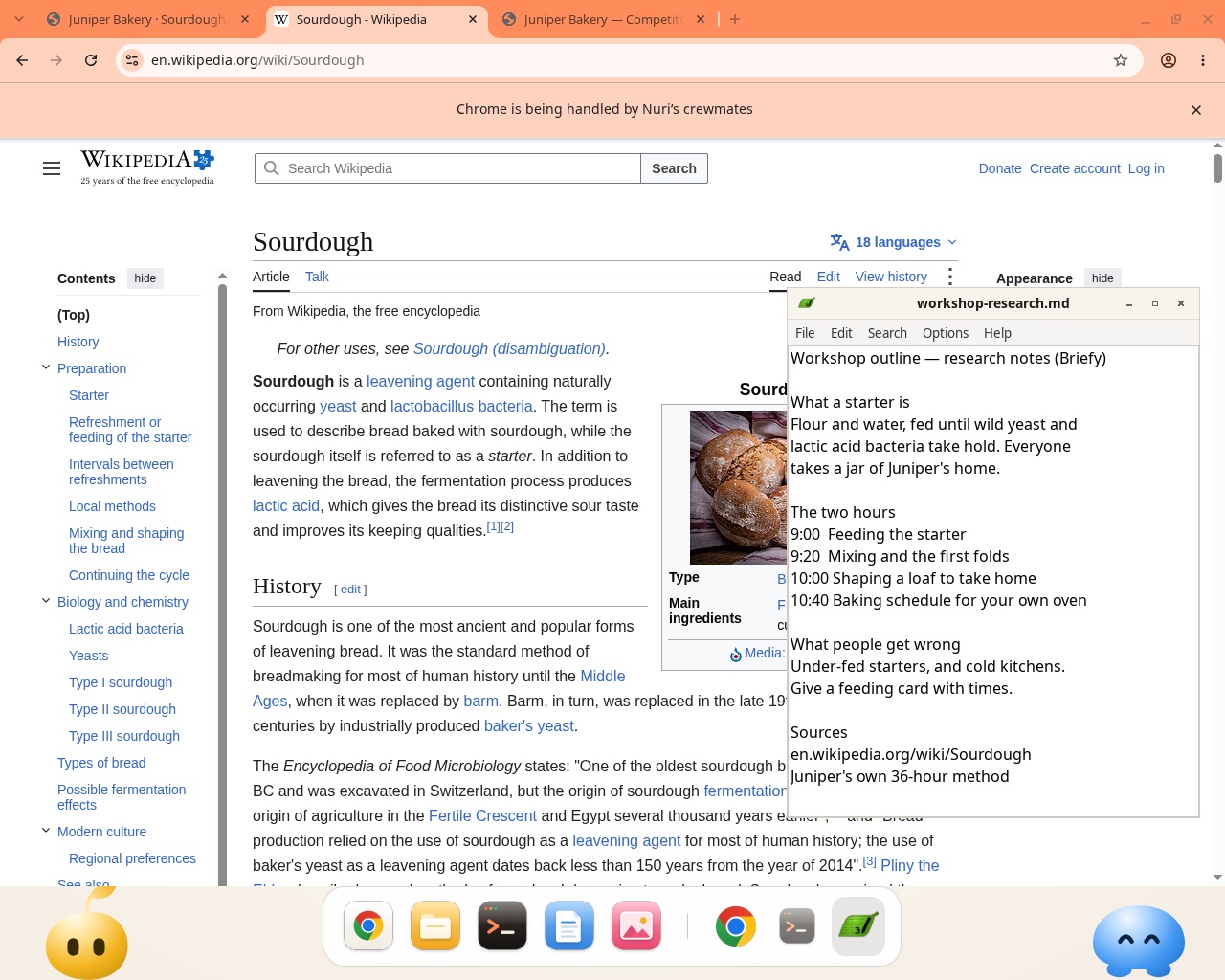
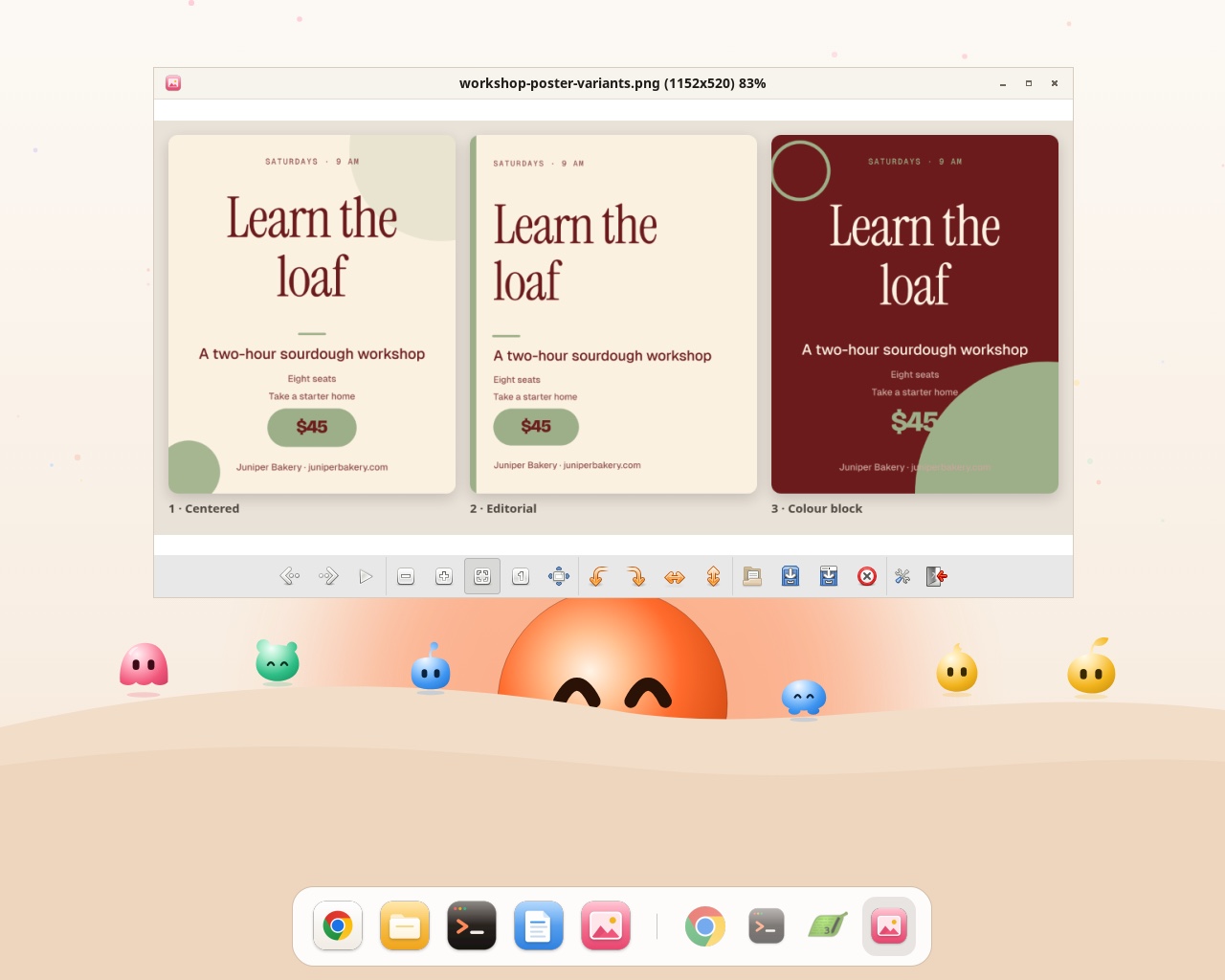
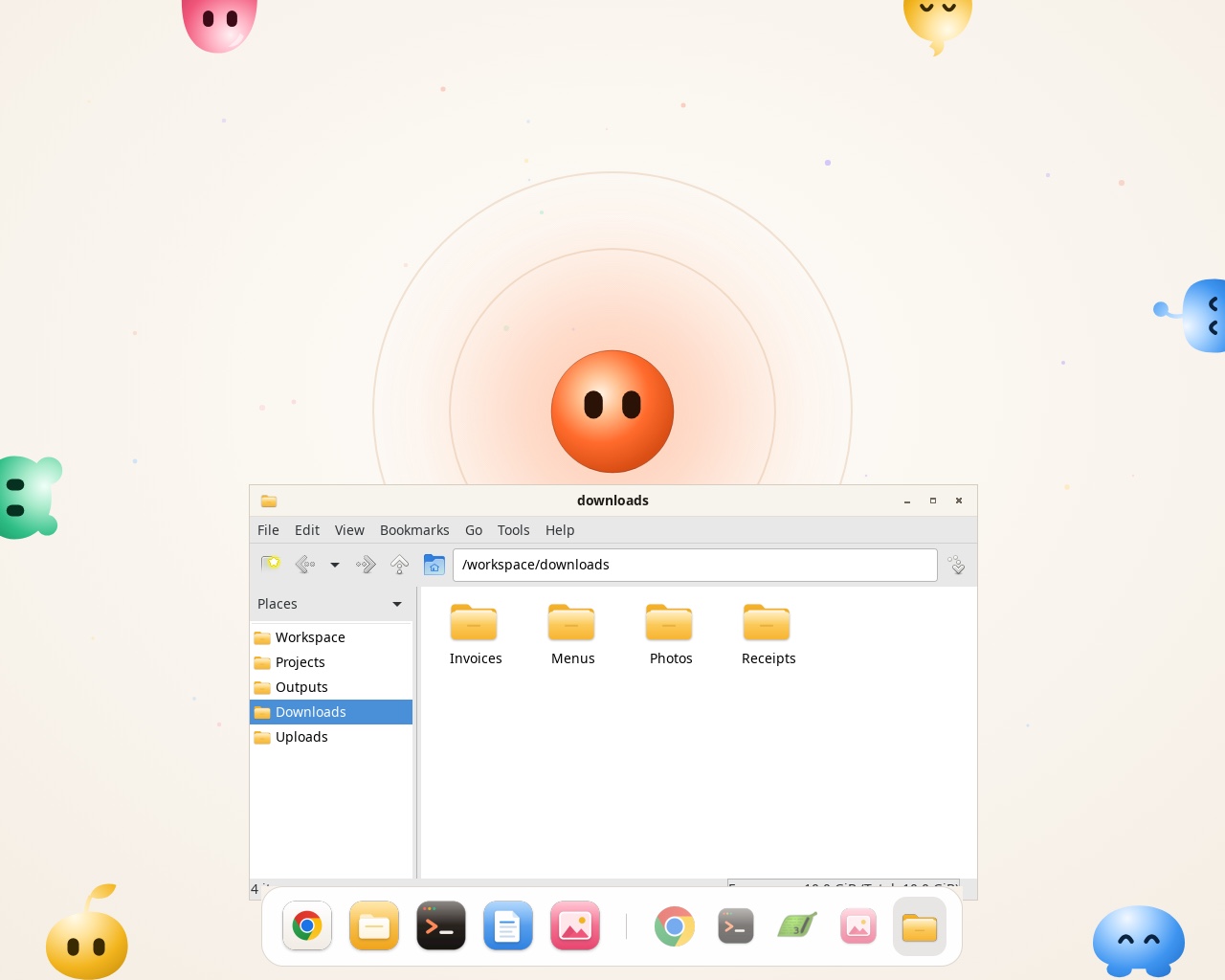
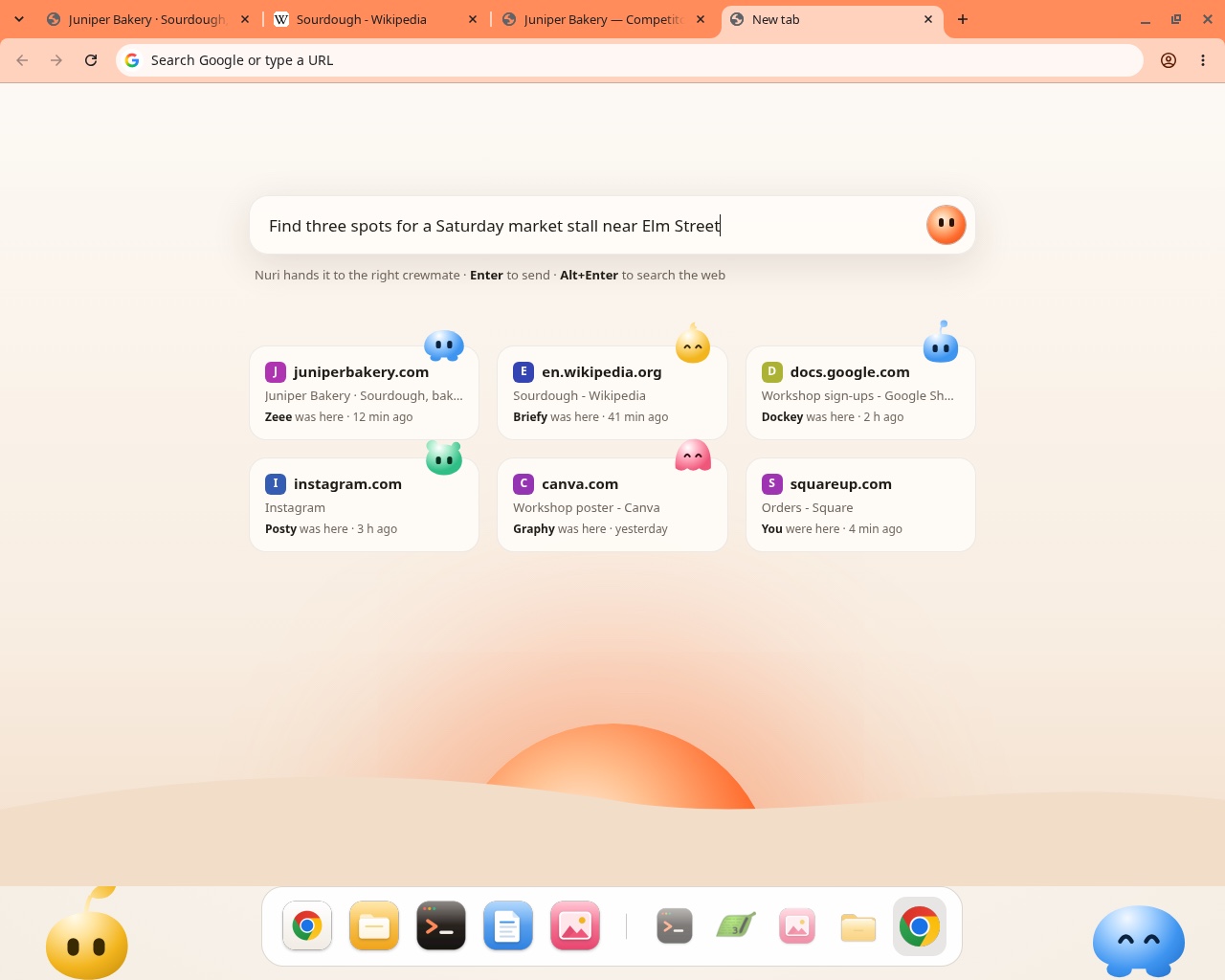
- Sign in onceLog in to a site once and the whole crew can use it.
- Some sign-ins stay homeGoogle, email and banks only ever sign in on your Mac.
- A user eachEvery crewmate has its own user and folder on the computer.
- Only yoursOne computer per person. Nobody else’s crew is on it.
Assignments
Even whileyou sleep.
Give the crew standing work. Assignments run on a schedule or when something happens, on Orry’s Computer, whether your Mac is open or not. Anything that goes out still waits for your OK.
On your Mac
And Orry is right
beside you.
Hold the keys or say “Hey Orry”. Orry looks at your screen only when you ask, answers out loud, points at the exact button and walks you through it, step by step. The notch tells you what the crew is up to, without a word.
- Talk or typeSay it from across the room, or type in Home. Talk mode keeps listening until you’re done.
- Looks only when you askA sweep of light shows the moment it looks, and it stays out of screen shares.
- Teaches, or does itIt shows you the steps one at a time, or does them with its hands on. Esc stops it.
Apps
Plugged into the apps
you already use.
Connect an app once, on its own sign-in page. Each crewmate gets the apps its job needs, and asks before it changes anything in them.
28 apps. Connect one and it’s switched on for the crewmates who use it.
 Gmail
 Google Calendar
 Outlook
 Slack
 Google Meet
 Notion
 Google Drive
 Google Docs
 Google Sheets
 Google Slides
 Figma
 Canva
 Miro
 LinkedIn
 Instagram
 X
 Facebook
 YouTube
 Reddit
 Discord
 Twitch
 GitHub
 Linear
 Supabase
 Cloudflare
 Shopify
 Search Console
 GoDaddy
ConnectIt learns
Show it once.
It remembers.
day
day
day
Trust
Nothing goes out
without your OK.
The crew gets on with reading, drafting and sorting. Sending, posting, deploying and deleting wait for you, and passwords and card numbers are never its to type.
we learned
- Your computer is only yoursOne computer per person. Your crewmates share it; nobody else’s crew is on it.
- Sign-ins stay sealedSites you sign in to are kept sealed for the crew. Google, email and banks only ever sign in on your Mac.
- Pages can’t give ordersText in web pages, files and emails is treated as information, never as instructions.
- Every step in the openEach job lists its steps in Home, and you can watch Orry’s Computer live.
- Stop anythingEsc takes Orry’s hands off. Stop any crewmate from its thread, any time.
- Looks only when you askOrry sees your screen when you ask, never in between, and screenshots aren’t kept.
The details, in full:Privacy policySecurityHow Orry uses AI
Pricing
Start free.
Grow your crew.
Every plan has the whole crew and Orry’s Computer. Plans differ in how much the crew can do each month.
- 100 asks a month
- 5 hours of Orry’s Computer
- 1 GB of files
- 1 crewmate at a time
- 1,500 asks a month
- 60 hours of Orry’s Computer
- 10 GB of files
- 3 crewmates at a time
- 5,000 asks a month
- 250 hours of Orry’s Computer
- 50 GB of files
- 6 crewmates at a time
- 2,000 asks a seat
- 80 hours a seat
- 20 GB a seat
- 3 crewmates at a time, a seat
Usage shows as a share of your month. Reaching a limit never stops a job that’s already running.
FAQ
Questions,
answered.
Still wondering? Ask Orry. It knows how it works.
What is Orry?
Your personal AI crew. Orry is the lead you talk to, right on your Mac. Its crew comes ready for research, documents, design, social, code and files, and you can make as many crewmates of your own as you like.
Can I make my own crewmate?
Yes, for any job. Describe it in a sentence and Orry drafts the crewmate for you to check: its name and look, what it does and how, and which tools and apps it may use. Then teach it a task once, in its own Chrome, and it does it your way.
How is it different from a chatbot?
A chatbot answers. Orry’s crew does the job: it opens the sites, uses your apps, makes the files and comes back with the result, asking before anything goes out.
What is Orry’s Computer?
A computer in the cloud with Chrome, files and a terminal, just for you and your crew. It runs for them 24/7 and keeps your files. Watch it live, or take over any time.
Does it keep working when my Mac is closed?
Assignments do: they run on Orry’s Computer at their time and tell you when they’re done. Anything that needs your Mac, like its own apps and files, waits until it’s on.
Do crewmates talk to each other?
No. Orry splits the job, each crewmate hands its part back to Orry, and Orry answers to you for all of it.
Is my data safe?
Your computer is only yours, sign-ins are kept sealed, and Google, email and banks only ever sign in on your Mac. Text in pages and emails is information to the crew, never instructions.
Which apps does it work with?
28 today, including Gmail, Slack, Notion, Google Docs, GitHub, Figma, Canva, LinkedIn and Shopify.
What does it cost, and which Macs?
Free to start; Pro is $20 a month, Max $60, and teams $30 a seat. Orry runs on macOS 12 or later.